
【おえかき】デジタルイラストの始め方〜道具編〜【iMac/液タブ/iPad】
えぴぽろ
デジタルで絵を描くための道具についての記事です。
わたしはとにかくデカイ画面が好みです(`・∀・´)
スポンサーリンク
<script async src="https://pagead2.googlesyndication.com/pagead/js/adsbygoogle.js"></script>
<!-- 300 250 -->
<ins class="adsbygoogle"
style="display:inline-block;width:300px;height:250px"
data-ad-client="ca-pub-6265502919566366"
data-ad-slot="8794785280"></ins>
<script>
(adsbygoogle = window.adsbygoogle || []).push({});
</script>
iMac27インチ
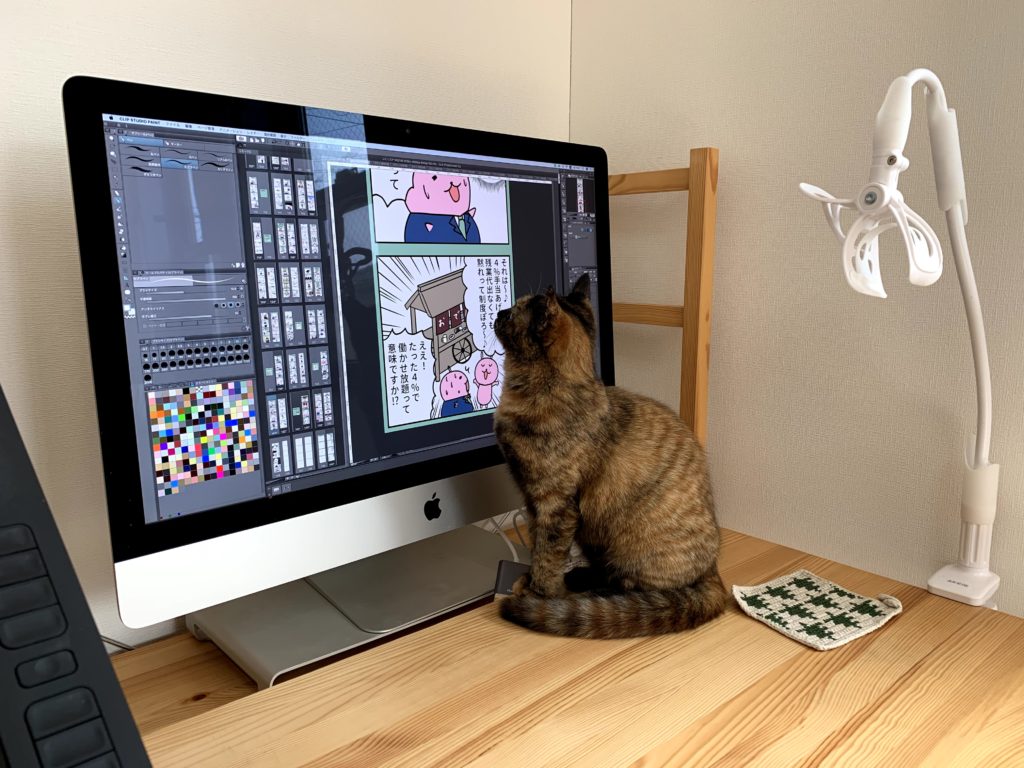
iMacの27インチを使っています。
ノートパソコンの2倍の大きさです。

ワコム液晶タブレット22インチ
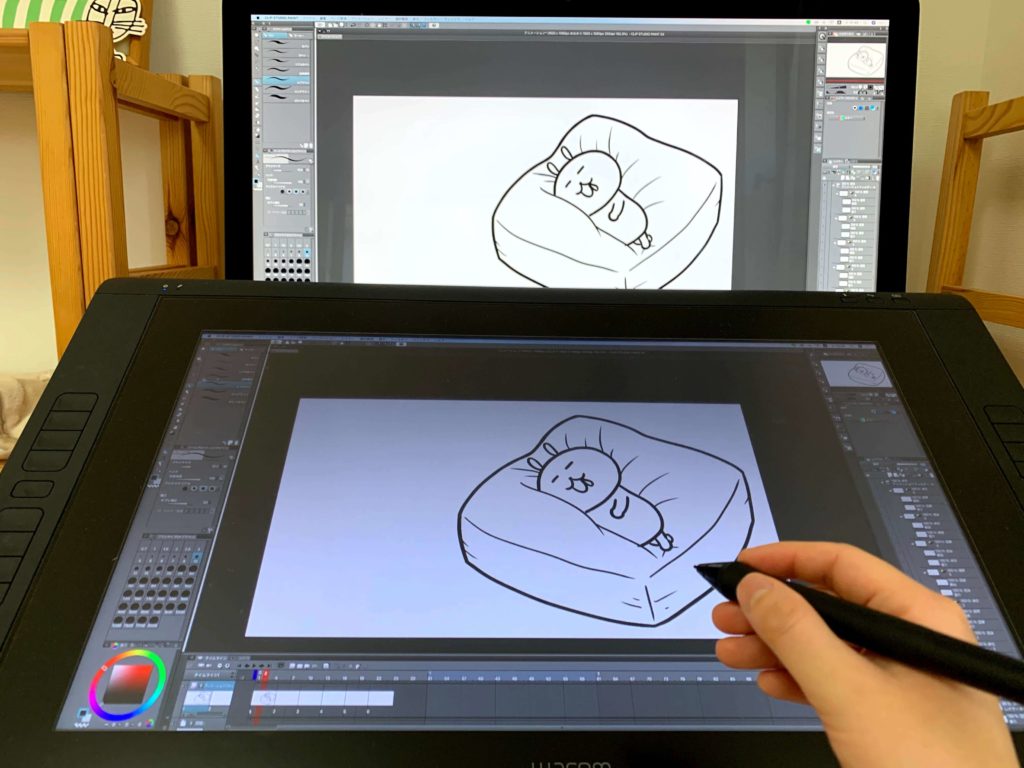
Wacomの22インチ液タブを使っています。
結構大きいです。画面が大きいので拡大縮小したりする手間がなくなり作業効率が上がります。

iPadPro12.9インチ
iPadPro12.9インチを使っています。
12.9インチはiPadの中で1番大きいサイズです。

液晶がつるつるなので紙のような描き心地のフィルムを貼っています。

まとめ
画面は大きい方が作業効率が上がる
あわせて読みたい
スポンサーリンク
<script async src="https://pagead2.googlesyndication.com/pagead/js/adsbygoogle.js"></script>
<!-- 300 250 -->
<ins class="adsbygoogle"
style="display:inline-block;width:300px;height:250px"
data-ad-client="ca-pub-6265502919566366"
data-ad-slot="8794785280"></ins>
<script>
(adsbygoogle = window.adsbygoogle || []).push({});
</script>
<script async src="https://pagead2.googlesyndication.com/pagead/js/adsbygoogle.js"></script>
<!-- 300 250 -->
<ins class="adsbygoogle"
style="display:inline-block;width:300px;height:250px"
data-ad-client="ca-pub-6265502919566366"
data-ad-slot="8794785280"></ins>
<script>
(adsbygoogle = window.adsbygoogle || []).push({});
</script>
ABOUT ME

大阪府在住。
キャラクターデザイナー/アニメーター